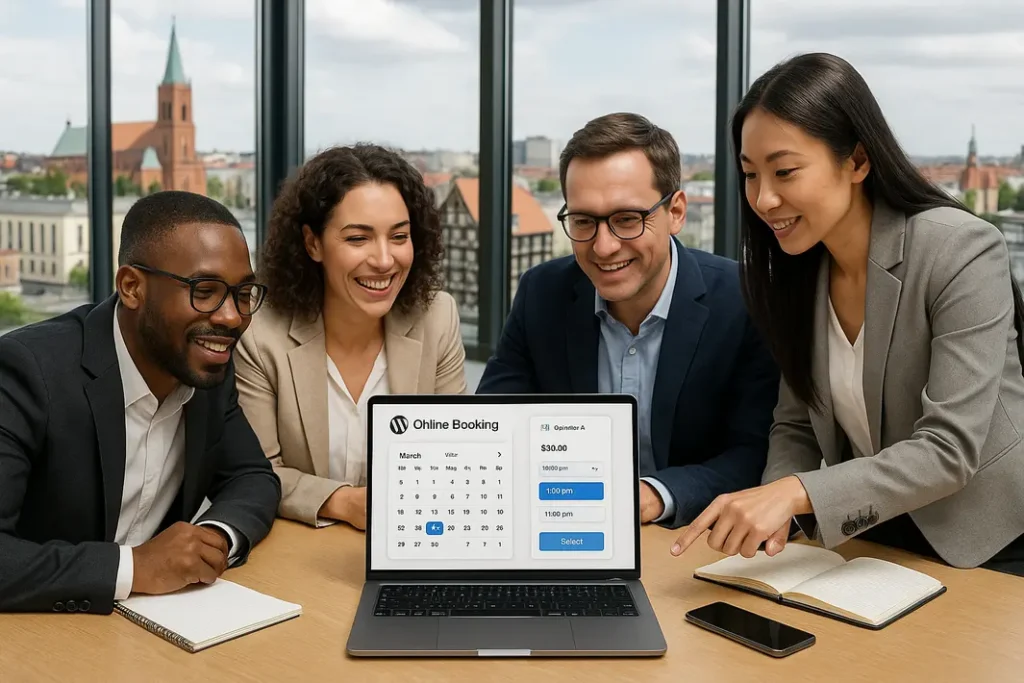
The phone rings in the middle of a treatment, a message asking about a free slot arrives at 10 pm, and in the paper diary someone has once again booked two people for the same hour. If you run a clinic, a salon, a rental business or a service company, an online booking system in Bydgoszcz and the surrounding area solves exactly these problems: the customer picks a free slot on your website, and you receive a ready booking.
In this guide we describe the types of bookings on WordPress, the features that really matter, and when a ready-made plugin is enough and when a custom solution pays off. We draw on our own implementations: a brow and lash salon, a dietitian’s practice and a boat rental from Bydgoszcz, as well as a venue that deliberately does without a calendar.
Why a business needs online bookings: fewer calls, fewer mistakes
- Bookings 24/7. The customer picks a slot in the evening, at the weekend or on the way to work.
- Fewer calls and messages. The calendar shows only free slots, so agreeing a time by text message disappears.
- Fewer mistakes. The system blocks an occupied slot, so two people cannot book the same hour.
- Fewer no-shows. Confirmation, an email reminder and a deposit reduce the number of appointments nobody turns up for.
The results depend on the industry and the quality of implementation, so we do not promise specific percentages.
Three types of bookings: appointments, resource rental and classes
Before you choose a tool, establish exactly what the customer is booking. The calendar logic depends on it.
Appointments with a specialist
The customer chooses a service, a day and an hour, and the system calculates free windows based on the length of the treatment and the schedule. On the dietitian’s website, the specialist sets a weekly schedule, the length of a visit and exceptions such as holidays. We described the details in the case study on a dietitian’s practice website with appointment booking.
Renting resources by the hour or by the day
What is booked is an item or a place: a boat, equipment, a hall. The customer picks the start and end date, and the price depends on length and season. For a boat rental we built a date calendar on WooCommerce with hourly and daily billing, as described in the case study on the Cross Travel Boat rental.
Courses, workshops and group classes
The customer buys a place, not an hour. What counts is a counter of free places, a waiting list and usually payment upfront. On the dietitian’s website, when a day is full, the patient joins a waiting list and receives a message if the slot becomes free.
Key features of a booking system
In our experience, the most important are:
- A calendar with blocks per resource. Each employee, room or boat has its own schedule, holidays and breaks.
- Variable prices. A different rate at weekends, in season or depending on the length of the booking. In the boat rental, the hourly rate is assigned separately to each month.
- Deposits and online payments. Stripe, Przelewy24, BLIK or bank transfer. In the brow and lash salon, the deposit feature via Stripe is ready and is switched on after testing, when it makes sense for the salon.
- Confirmation emails and reminders. A confirmation with an .ics file and a reminder the day before the appointment.
- Changing and cancelling an appointment without calling. In the brow and lash salon, this works up to 24 hours before the appointment.
- Gift vouchers let you earn outside the appointment calendar too.
- Customer panel. A list of bookings, history and documents in the style of the site, not on the administrator login screen.
- Integrations. Export to Google Calendar, automatic invoices (e.g. Fakturownia, wFirma). We agree the scope individually.
Table: which features your type of business needs
| Feature | Clinic / salon | Rental | Hall / venue | Courses and classes |
|---|---|---|---|---|
| Hourly calendar and service length | Key | Optional | Rarely | Key |
| Date-range calendar (from–to) | Rarely | Key | Sometimes | Rarely |
| Blocks per resource | Yes | Yes | Yes | Yes |
| Seasonal and weekend prices | Rarely | Very useful | Useful | Rarely |
| Deposit or payment upfront | Useful | Very useful | Usually a deposit | Key |
| Waiting list, places limit | Useful | Rarely | Rarely | Key |
| Email reminders | Key | Useful | Useful | Useful |
| Customer panel and vouchers | Useful | Optional | Rarely | Useful |
A ready-made plugin or a custom solution
Honestly: in many cases a ready-made booking plugin for WordPress is enough. With one or two services, a simple schedule and standard payments, configuring it will be faster and cheaper than writing anything from scratch.
When a ready-made plugin is enough
- simple services of fixed length and one schedule,
- no unusual price and availability rules and no integrations with your own systems,
- you accept the tool’s limitations and its licence model.
When it is worth considering a custom solution
- price and availability rules are specific, e.g. a rate depending on the month and billing type,
- you want one panel for treatments, prices, schedule, bookings and vouchers,
- you process sensitive data and need control over how it is stored,
- you do not want to pay a fixed subscription or depend on a plugin vendor.
For the boat rental we gave up a ready-made plugin with a paid subscription and built a solution on WooCommerce and our own rental plugin, because the logic of dates and hourly pricing had to fit this company. The code of custom solutions remains the client’s property. We write about this in more detail in the article on custom WordPress plugins. When a booking is meant to work like a shop, WooCommerce is a good foundation, which is what the guide to WooCommerce shops in Bydgoszcz is about.
The booking form: UX that does not scare customers off
- Design for the phone first. Customers often book during a break in the day, so buttons must be large and the calendar readable without zooming.
- Few steps. Choosing a service, a time and contact details is usually the sufficient minimum. On the dietitian’s website, the patient provides their details only in the last step.
- Show the price and duration straight away. At the rental, the seasonal price table sits next to the calendar, not in the terms and conditions.
- Only genuinely free slots. Occupied hours should not be clickable.
Accessibility matters too: contrast, field labels and keyboard operation. You can check it in our free accessibility test.
Service pages and local SEO: so customers find the calendar
A booking system will not attract customers on its own. Someone first has to find your site by phrases with the city, e.g. “brow salon Bydgoszcz” or “dietitian Bydgoszcz”. That is why we plan bookings and SEO together.
- A separate subpage for each service or resource with a description, price and booking button. At the rental, each boat has its own product page.
- Consistent company data. The name, address and phone number identical on the site, in the Google profile and in directories.
- Schema.org structured data for the business, services and FAQ. The rules are described in the Google Search Central documentation.
- Google business profile. You will find instructions in the Google Business Profile help.
We write more about visibility in the region in the guide to local SEO for Bydgoszcz businesses. SEO takes months, and results depend on competition, so no sensible person will guarantee you a place in the results.
GDPR (RODO) in bookings: customer data and health data
A booking system collects a name, phone number, email and sometimes health data, which is a special category of data. It is worth discussing the scope of obligations with a lawyer or a data protection officer; we provide the technical side. General principles:
- Minimisation. Collect only what is needed to provide the service.
- Consents and information. At the form, show the controller, the purpose of processing and a link to the privacy policy. Consents should be recorded.
- Data subject rights. Export and deletion of data on request. On the dietitian’s website we used WordPress’s built-in tools for this.
- Limiting storage time. In this project, old, closed bookings are automatically anonymised.
You can check the state of your cookies and privacy policy in the free GDPR and cookies test. We discuss security in the guide to WordPress site security.
Examples from our implementations
For Polia Beauty in Bydgoszcz we prepared booking with add-ons, time and price calculation, a client card and vouchers. In the case study for the dietitian, the calendar combines the schedule, reminders, a waiting list and a health questionnaire. In Cross Travel Boat, each boat is a product with a calendar in the WooCommerce basket, with payment via Przelewy24 and a BLIK block (available methods depend on the account configuration in the gateway).
Not every venue needs a calendar. In the case study for a banquet hall in Łabiszyn we chose a short enquiry form, because the wedding date is decided by a conversation with the owner. A good system fits the way a company works rather than having the most features. You will find other projects in our case studies.
Implementation step by step
- Conversation and process analysis. What the customer books, and what the rules on cancellations and payments are.
- Choosing the solution. A ready-made plugin, WooCommerce with a booking module, or a custom plugin.
- Designing the form and service pages. Mobile, short, with the price and duration visible.
- Configuring schedules, prices and payments and email templates.
- GDPR and legal texts. Consents, privacy policy, booking terms.
- Testing on staging. Booking from a phone, changing and cancelling an appointment, payment, emails.
- Launch and support. Publication and fixes after the first bookings.
Every week you see progress on staging, and the quote is fixed-price and set after a free conversation. You can check an indicative amount in the pricing calculator.
Checklist for choosing a booking system
- I know exactly what the customer books: an hour, a day or a place in a class.
- The system handles blocks per employee or resource.
- Seasonal and weekend prices can be set without a developer.
- Online payments (Stripe, Przelewy24, BLIK) and deposits are available if I need them.
- The customer receives a confirmation and a reminder and can cancel the appointment.
- The form works comfortably on a phone and has a few steps.
- GDPR consents, data export and deletion are built in.
- I know the costs: licence, subscription and maintenance, and who owns the code.
Already have a website and want to check its state before adding bookings? The paid Full Website Audit for 150 PLN brings together SEO, security, GDPR and performance in one report.
Frequently asked questions
How much does an online booking system cost?
The price depends on the number of services and resources, price rules, payments and integrations. We prepare a fixed-price quote after a free conversation, and you will see an indicative amount in the calculator.
Is a ready-made WordPress booking plugin enough?
With simple services and a standard schedule, often yes. A custom solution is worth considering for unusual price rules, sensitive data or a wish to avoid a subscription.
Can customers pay a deposit via BLIK or Przelewy24?
Yes, if the system is connected to a payment gateway. We work with Stripe, Przelewy24 and BLIK, and available methods depend on the account configuration in the gateway.
How do I reconcile bookings with GDPR when handling health data?
Collect the minimum of data, record consents, enable export and deletion of data, and limit the time it is stored. It is worth discussing the scope of obligations with a lawyer or a data protection officer.
Will the booking system connect with Google Calendar and accounting?
Usually yes. The customer can receive an .ics file, and we agree integrations with Google Calendar and accounting systems such as Fakturownia or wFirma individually.
How long does implementing online bookings take?
It depends on complexity, because configuring a ready-made plugin is faster than a custom project. You receive the schedule together with the quote.
Let’s talk about bookings in your business
Do you run a clinic, salon, rental or service company in Bydgoszcz, Toruń, Inowrocław or the surrounding area? Book a free conversation (30–60 minutes, no obligation). You tell us about your process, and we advise whether a ready-made plugin is enough or a tailor-made system is better. See also our services or write to us via the contact form.
Kreatywna Agencja (Canpol Bis Sp. z o.o.)
ul. Gimnazjalna 2, 85-007 Bydgoszcz
tel. +48 502 811 949
e-mail: biuro@kreatywnaagencja.com.pl


